How to View Changes in Git Stash (Complete Guide)

When working on a feature or fixing a bug, you may need to quickly switch branches without committing unfinished work. That’s where Git Stash comes in.
But after stashing, a common question is:
How do I see what changes are inside a stash?
This article explains all the practical ways to inspect Git stash changes clearly and safely.
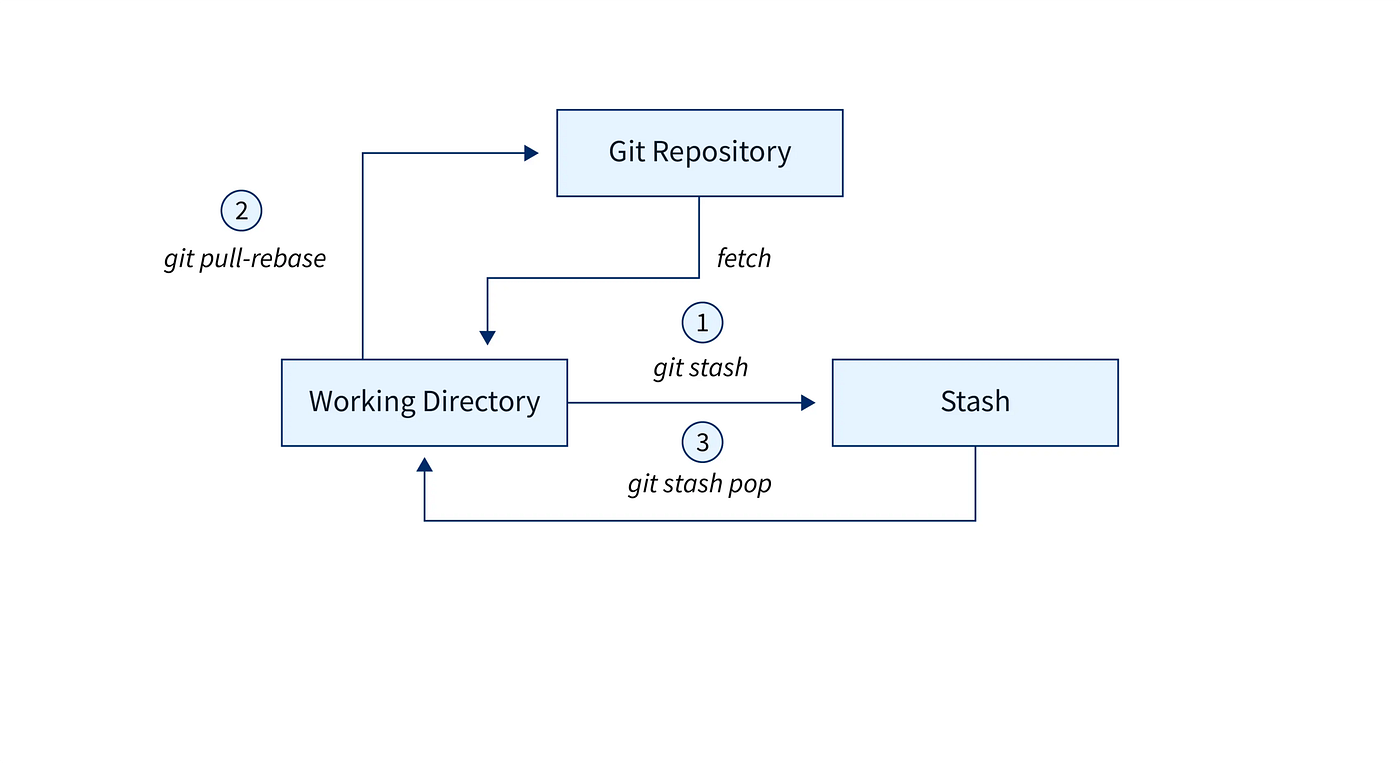
What Is Git Stash?
git stash temporarily saves your uncommitted changes (both staged and unstaged) and cleans your working directory. You can later apply or inspect those changes whenever needed.
1️⃣ List All Stashes
Before viewing changes, check how many stashes you have:
git stash list
Example output:
stash@{0}: WIP on main: add login validation
stash@{1}: WIP on feature/cart: cart UI fixes
Each stash is identified using stash@{index}.
2️⃣ View Summary of Changes in a Stash
To see which files were modified (without code details):
git stash show stash@{0}
This gives a quick overview—useful when you just want to identify affected files.
3️⃣ View Full Code Changes (Recommended)
To see actual line-by-line changes stored in the stash:
git stash show -p stash@{0}
This works exactly like git diff and shows:
Added lines
Removed lines
Modified code blocks
👉 This is the most important command for inspecting stash content.
4️⃣ View Latest Stash (Shortcut)
If you want to inspect the most recent stash:
git stash show -p
Git automatically assumes stash@{0}.
5️⃣ Compare Stash with Current Branch
To compare your current working tree with a stash:
git diff stash@{0}
Helpful when:
You already applied partial changes
You want to verify conflicts before applying
6️⃣ Apply Stash Without Removing It (Safe Inspection)
If you want to inspect files directly in your editor:
git stash apply stash@{0}
⚠️ This does not delete the stash
You can safely review files and revert if needed.
Bonus: Create a Handy Alias
If you frequently inspect stashes, create a shortcut:
git config --global alias.stashdiff "stash show -p"
Then use:
git stashdiff stash@{0}
Common Mistakes to Avoid
❌ Applying stash without checking contents
❌ Forgetting which stash contains what
❌ Dropping stash before inspection
✔ Always inspect using git stash show -p first
Final Thoughts
Git stash is powerful—but only if you know how to inspect it confidently.
These commands help you:
Understand what’s inside a stash
Avoid accidental overwrites
Work faster and safer
Bookmark this article—you’ll thank yourself later 😉


